
Follow these steps to connect your external account to your account with Blue and initiate a transfer:
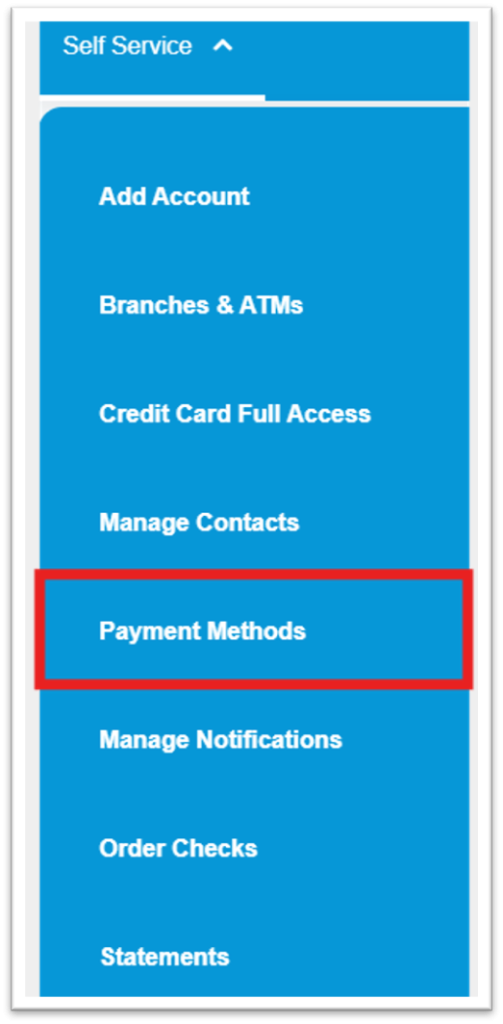
1. From the landing page, click on “Self Service”

2. From the drop-down menu, click on “Payment Methods”
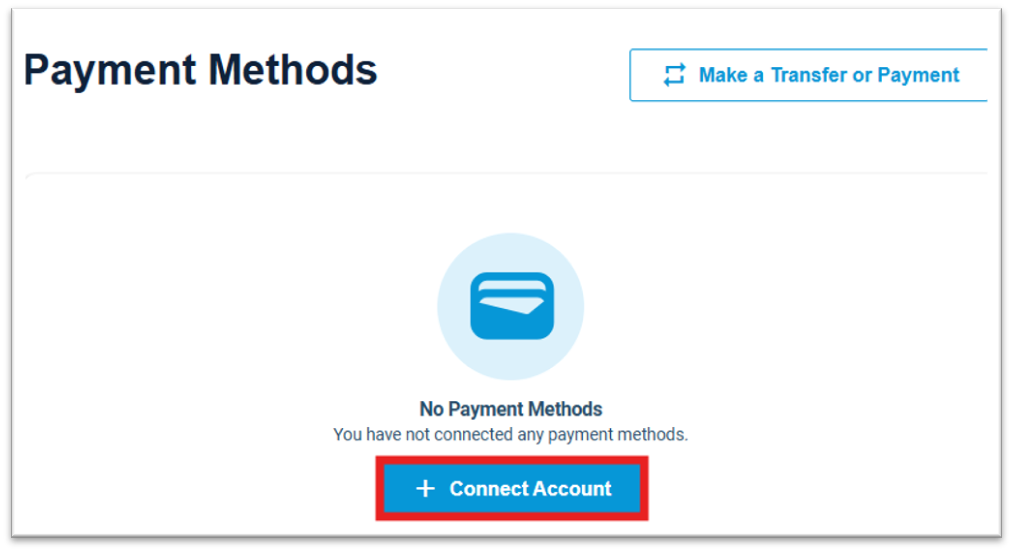
3. Select “Connect Account.”
4. Search for your other Financial Institution and select it

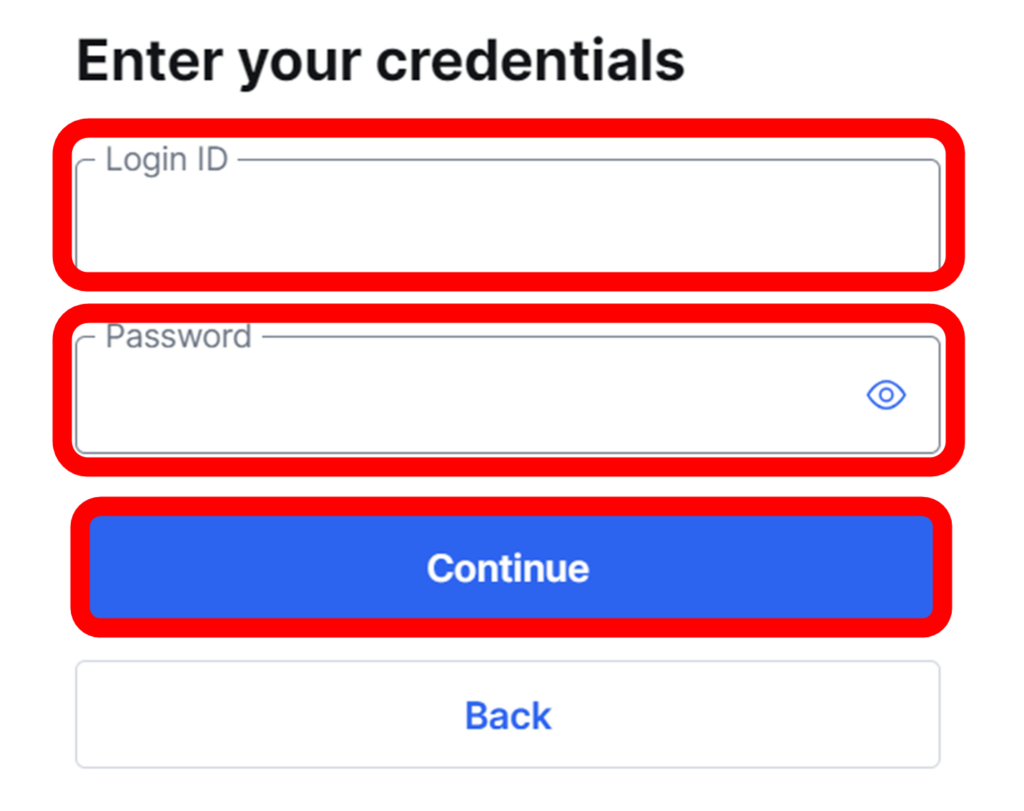
5. Enter your login information for that Financial Institution and click “Continue”. If you do not have login information, you will first need to set up an online account with that institution, or use the microdeposits option.
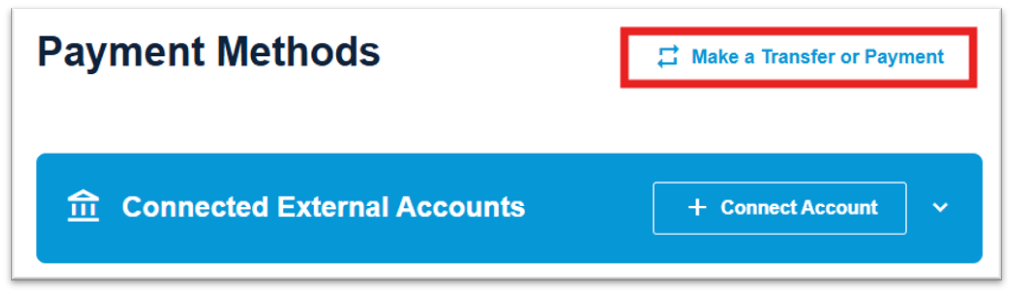
6. There may be additional verification steps such as verifying a passcode sent to your mobile device. Once these steps are complete and the account has successfully been connected, refresh the Payment Methods page.
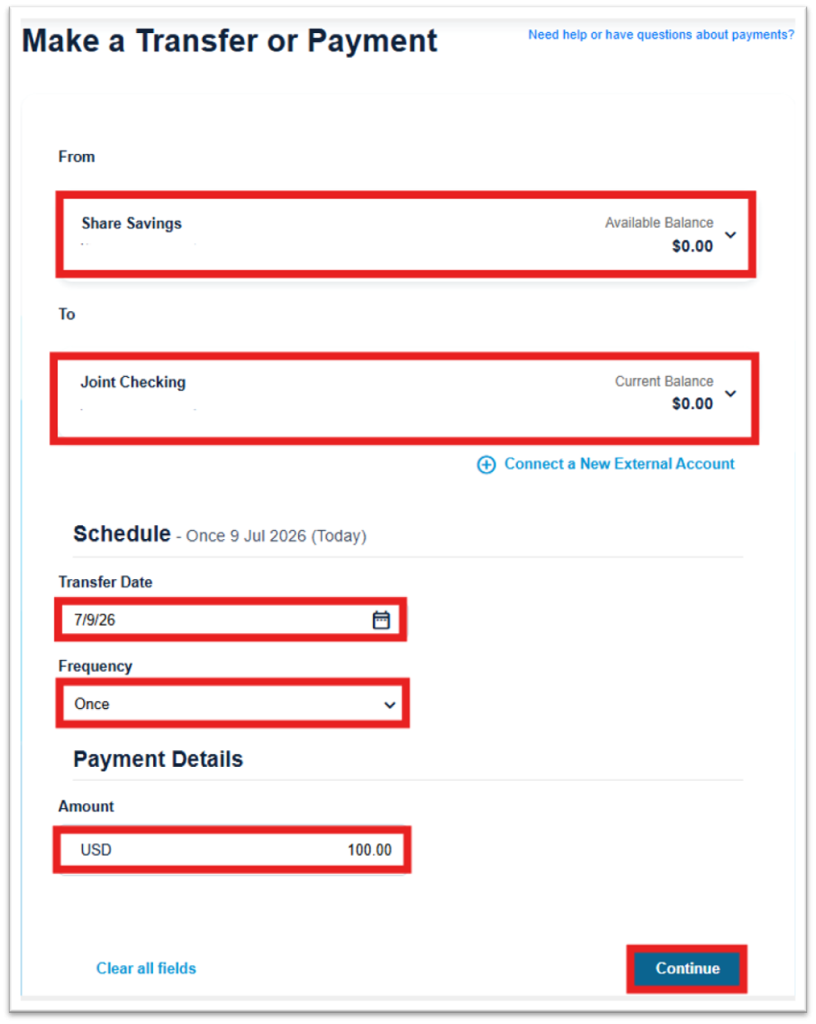
7. Select “Make a Transfer or Payment”
8. Select the account from which you would like to withdraw
9. Select the account to which you would like to deposit
10. Select the date you would like to initiate the transfer
11. Select whether you would like it to be a one-time or recurring transfer
12. Enter the amount you would like to transfer
13. Click “Continue”
14. Review the transfer and if everything is correct, click “Confirm Transfer”
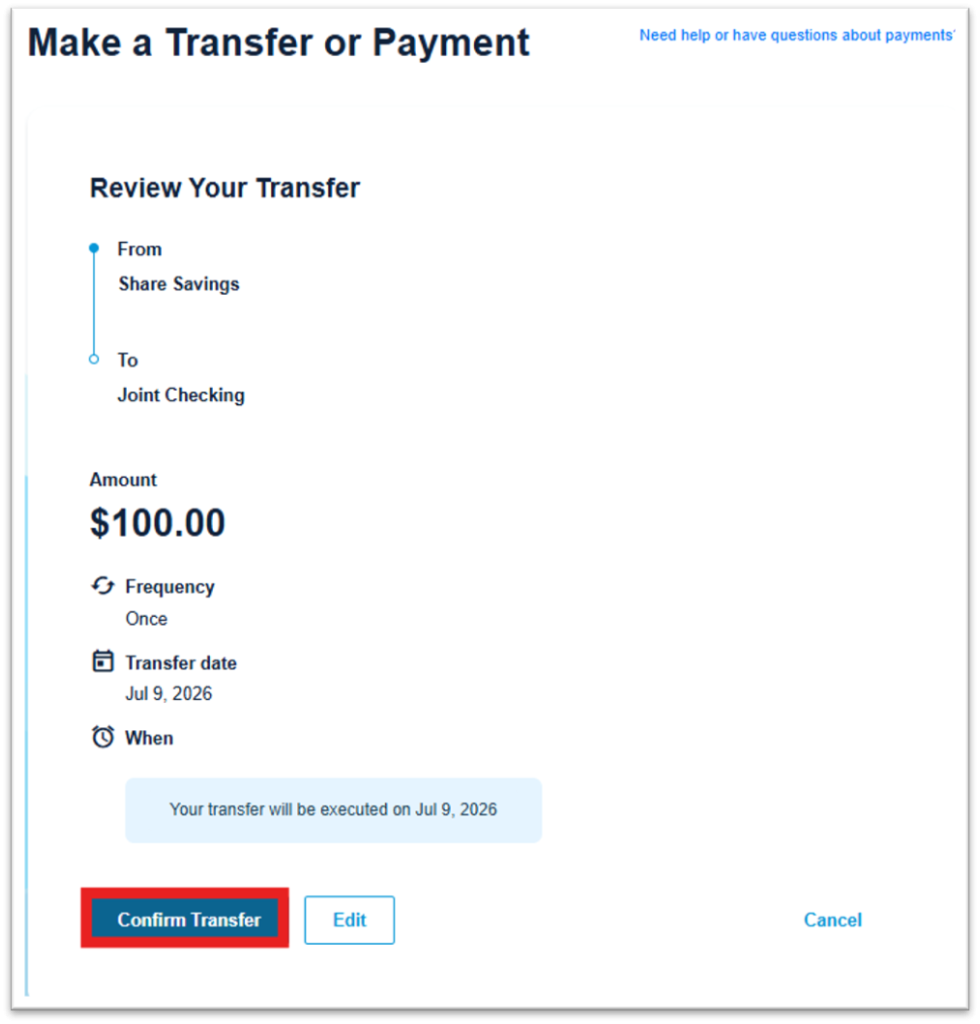
External transfers can take several days or longer to complete depending on the Financial Institution
*Note: you must be an owner on both accounts in this method of transferring funds