1. From the My Accounts screen, select the “More” at the bottom right of the screen
2. Select “Settings”

3. The second option will show if Face ID is enabled. If you would like to enable or disable Face ID, select the Face ID option, then “Go to settings”


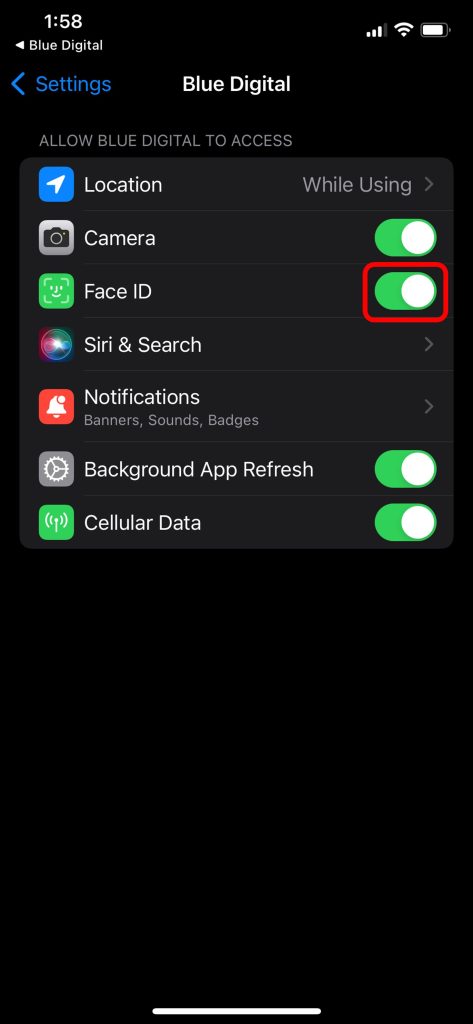
4. Press the toggle next to Face ID to enable or disable Face ID in Blue Digital. If it is green, it is enabled. If it is grey, it is disabled.