Start by logging into Blue Digital
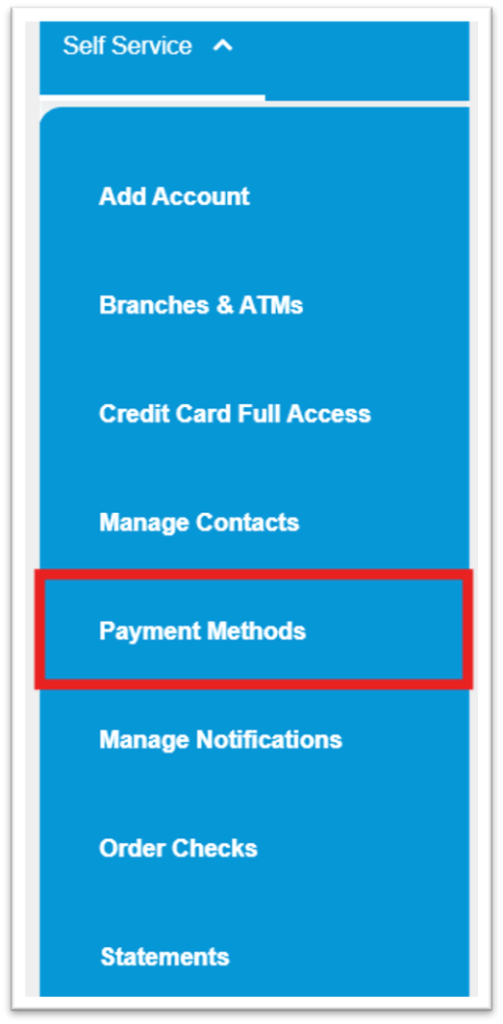
Click on “Self Service” to open a dropdown menu

Select “Payment Methods”
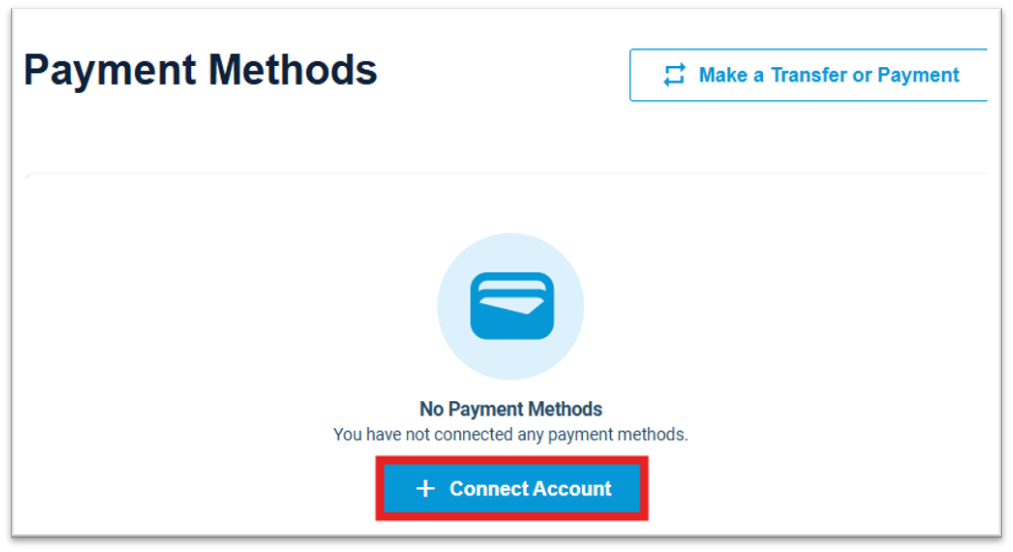
Select “Connect Account”
Use the Search bar to search for your external Financial Institution, then click directly on it
If your external institution does not appear, use the option, “Can’t find your institution? Try connecting with microdeposits instead”

After selecting your institution, you will need to enter your login credentials for your online banking at that institution
You may also need to initiate a verification code to your mobile device or email
This process can take several minutes, so make sure to stay on the connection page until the process completes
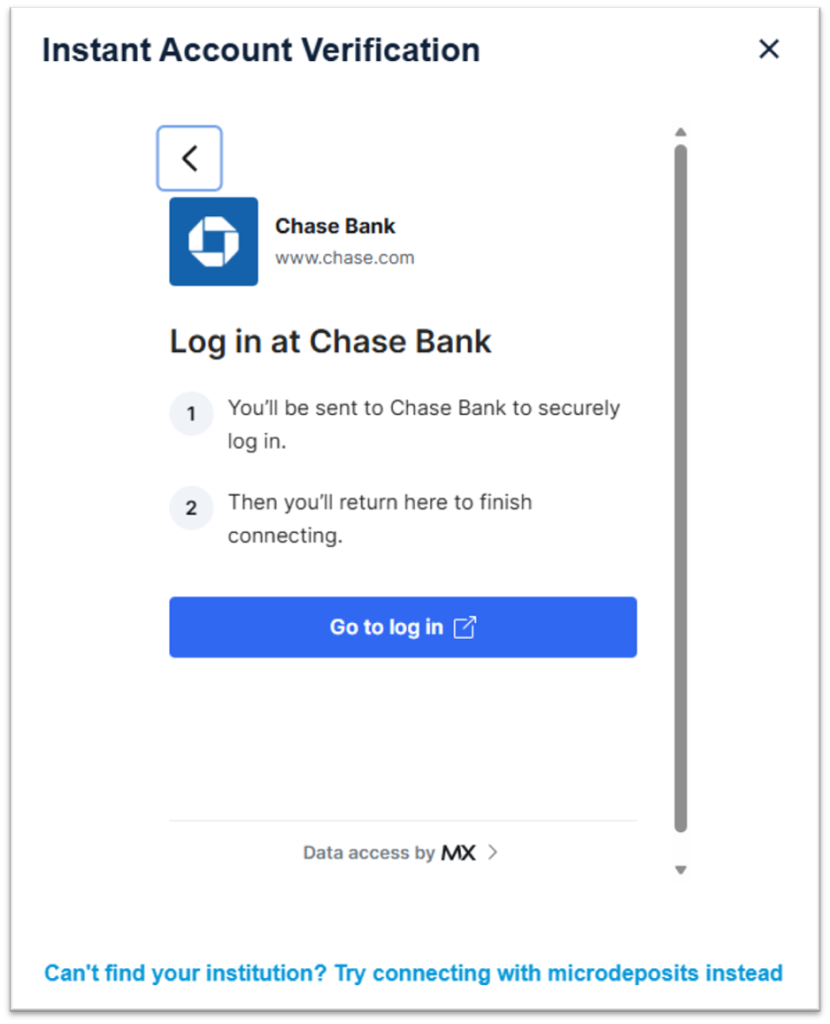
If you were not able to find your institution, click directly on the microdeposit option

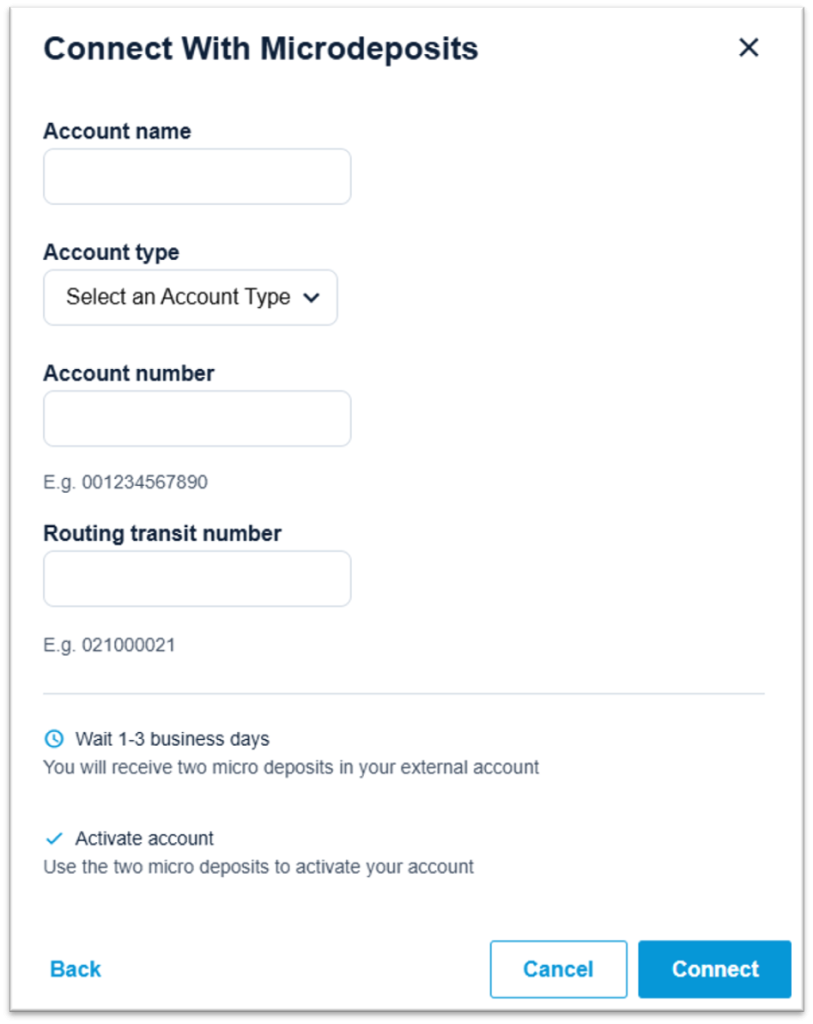
Enter the name of your external account, the account type (checking or savings), the account number and the routing number, then click “Connect”
After 1-3 business days, two micro deposits will be deposited into your external accounts
You will need to return to the Payment Methods page and enter those amounts in order to verify the account and finalize the connection