
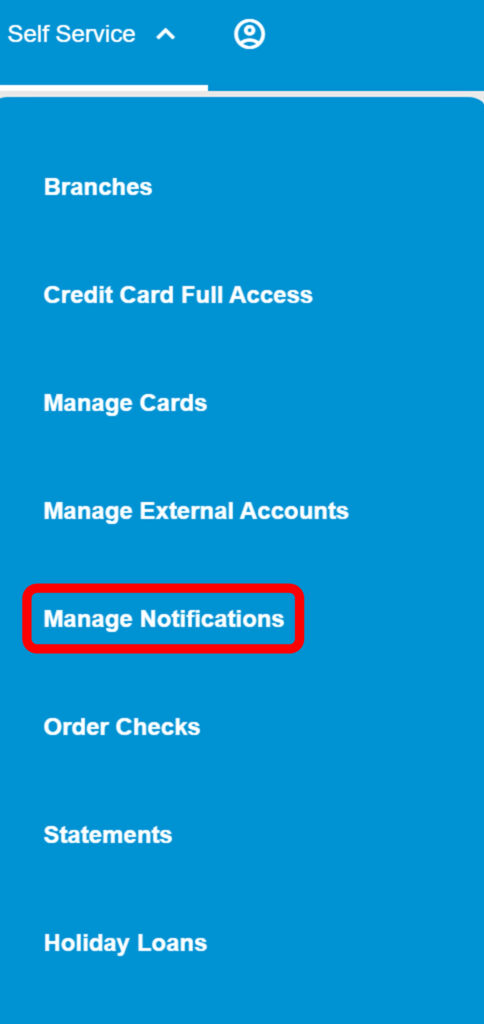
1. Click on the “Self Service” tab.

2. Click the down arrow and then click on “Manage Notifications.”
3. Next, you will be directed to your accounts to select the specific account you would like to manage specific notifications for.

4. Once you’ve selected an account, you will be routed to all of the notification options.
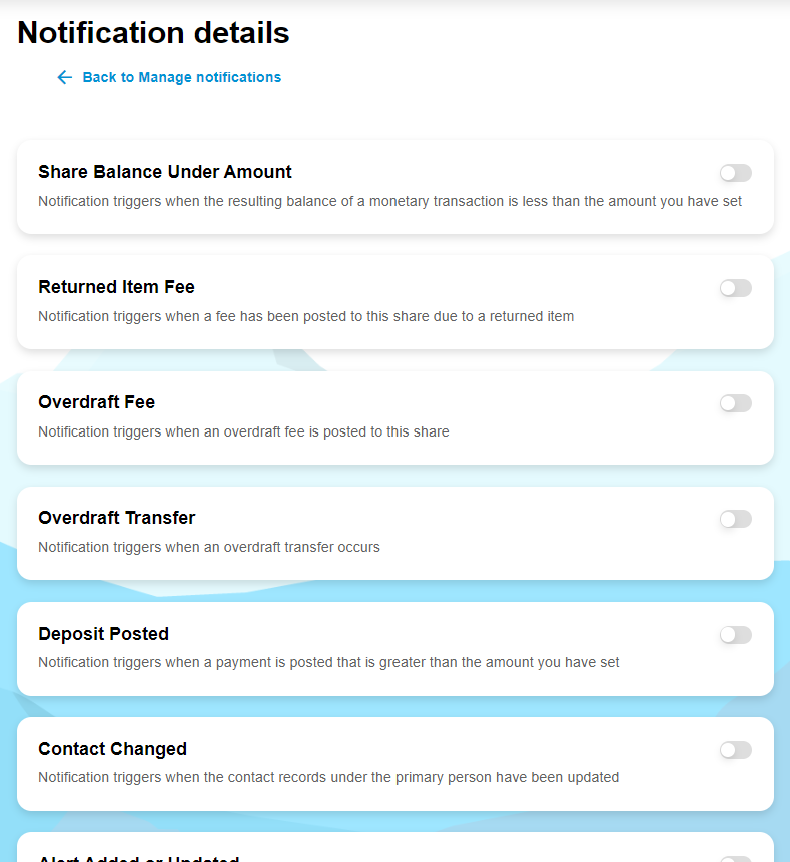
5. Utilize the toggles on the right side of the screen to turn specific notifications on/ off. If the toggle is greyed out, the notification is NOT turned on.