
This will show you where to go to view transfers you have previously scheduled.
1. From the landing page, click on “Move Money”.

2. Click on “Scheduled Transfers & Payments.”

For example, this shows a transfer scheduled on September 20th from checking to a Home Equity Line of Credit.
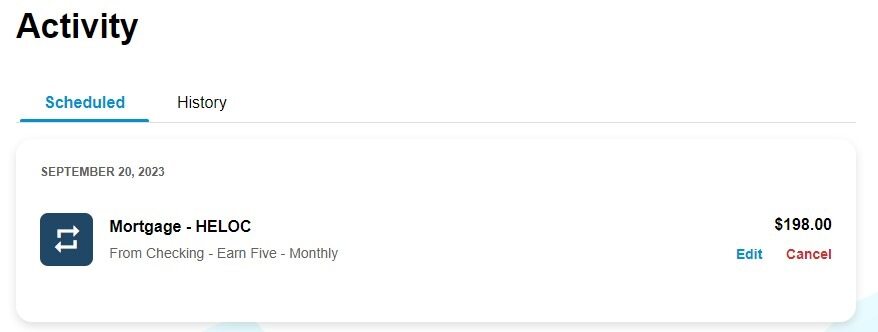
3. Click on “cancel” to stop the transfer from processing or click “edit” to change the details of the transfer.